Why Some Medical Referral Forms Generate More Referrals Than Others
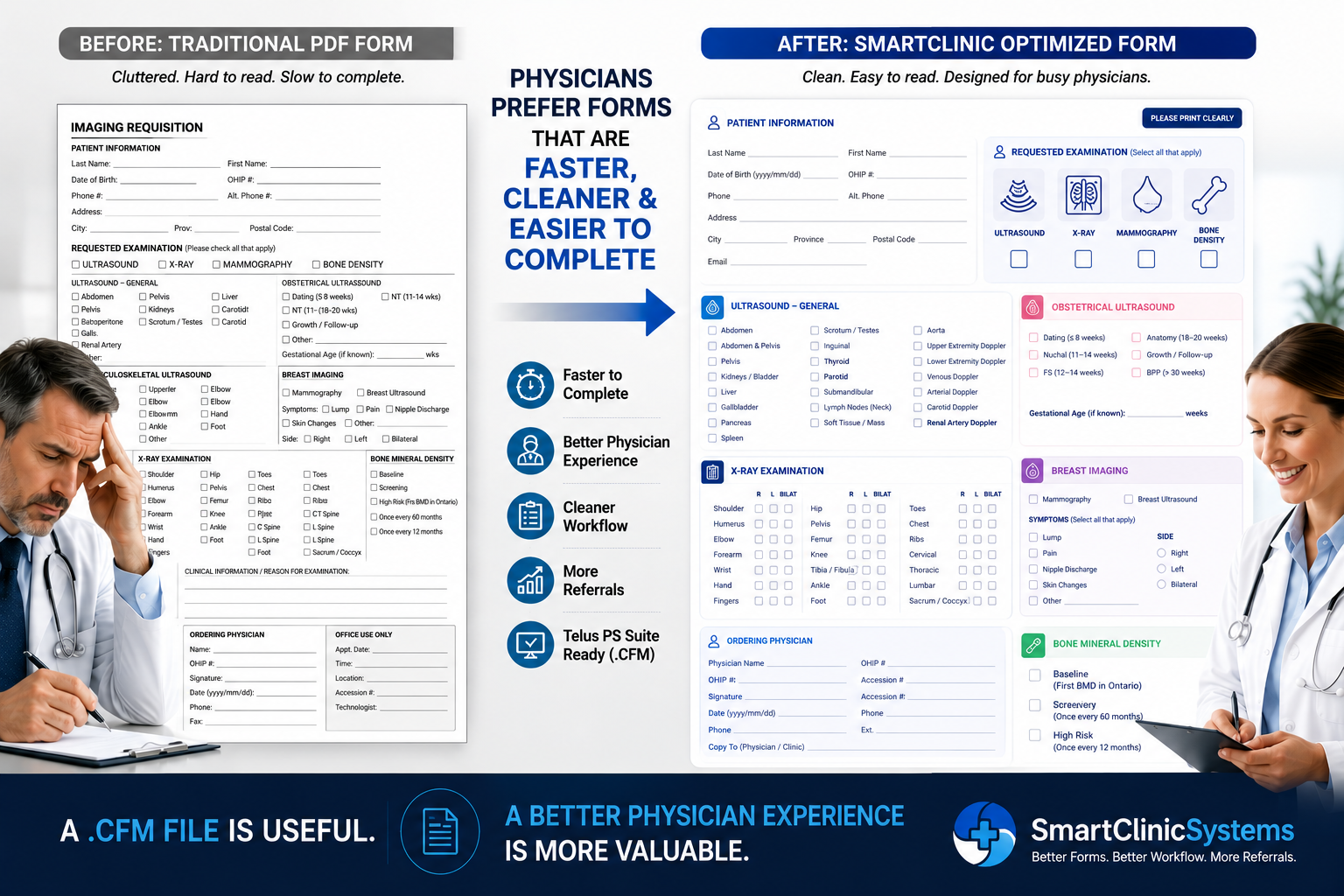
A few weeks ago, I was helping an imaging clinic convert an existing PDF requisition form into a Telus PS Suite (.CFM) form.
The request sounded simple:
"Can you just convert our PDF into a .CFM file?"
Of course we could.
But after looking at the form for a few minutes, I noticed something interesting.
The problem wasn't the file format.
The problem was the form itself.
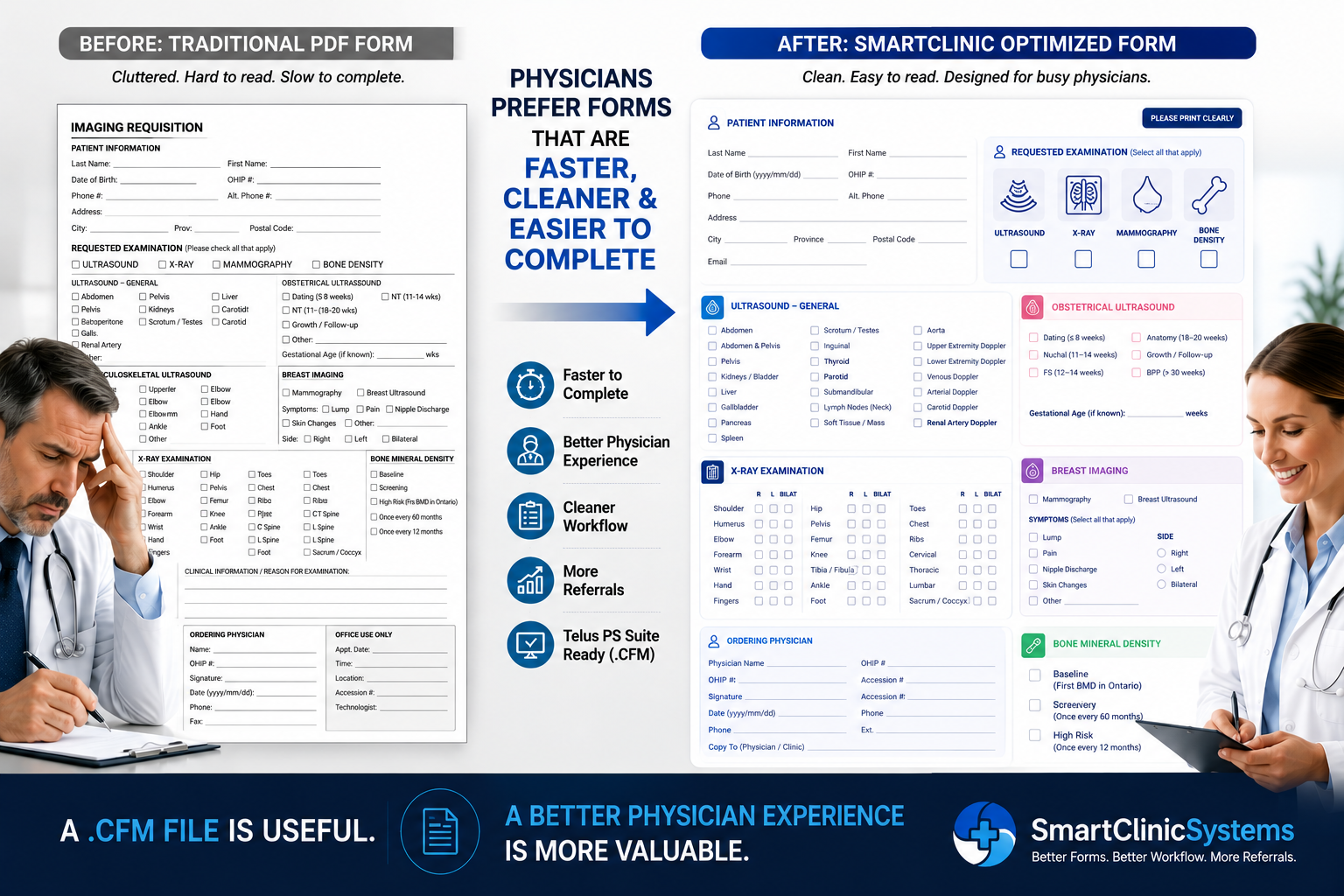
A well-designed Telus PS Suite .CFM referral form improves the physician experience and supports more completed referrals.
The Hidden Cost of a Poorly Designed Referral Form
Most clinic owners assume physicians make referral decisions based entirely on clinical need.
And that's true.
But physicians are also human.
When a physician has 15 patients waiting, paperwork piling up, and multiple referral options available, convenience matters.
If one form is:
- Easier to read
- Faster to complete
- Better organized
- More visually professional
It often becomes the preferred option.
Not because the physician is consciously choosing one clinic over another.
Because the experience is easier.
Think About Your Own Behaviour
Imagine you have two online forms to complete.
One looks like it was designed in 2004.
The other looks clean, modern, organized, and intuitive.
Which one would you rather use?
The same psychology applies inside healthcare.
Busy physicians naturally gravitate toward tools that reduce friction.
The Difference Between File Conversion and Workflow Improvement
Many services focus exclusively on converting a PDF into a Telus PS Suite .CFM file.
That solves a technical problem.
But it doesn't necessarily solve a workflow problem.
A clinic can spend money converting a form and still end up with:
- Confusing layouts
- Poor field organization
- Excessive checkboxes
- Tiny fonts
- Redundant information
- Missed opportunities to improve physician usability
The form works.
But it doesn't work well.
What Makes a Great Referral Form?
After working with medical clinics, imaging centres, and specialists, a few patterns appear repeatedly.
The most successful forms tend to have:
Clear Visual Hierarchy
The physician immediately understands:
- What the form is
- What service is being requested
- What information is required
Without hunting through the page.
Intelligent Grouping
Related items stay together.
Clinical indications stay together. Patient information stays together. Contact details stay together.
The physician's eye naturally flows through the form.
Fewer Decisions
Every checkbox, dropdown, and blank field creates friction.
The best forms simplify decisions whenever possible.
The goal is not to collect more information. The goal is to collect the right information.
Better Branding
A professional-looking form communicates professionalism.
This is especially important for:
- Diagnostic imaging clinics
- Sleep clinics
- Cardiology clinics
- Physiotherapy clinics
- Specialist practices
A polished form creates confidence before the referral is even sent.
Why This Matters More Than Ever
Healthcare providers have more options than ever before.
Many communities have multiple imaging providers. Multiple specialists. Multiple referral destinations.
When clinical quality is similar, experience becomes important.
That experience begins long before the patient arrives.
It starts with the referral form.
Three Levels of Improvement
Not every clinic needs a complete redesign.
That's why we typically see three levels of need.
Level 1: PDF to .CFM Conversion
You already like your form. You simply want it available inside Telus PS Suite.
Perfect. Convert it and move on.
Level 2: Smart Form Redesign
Your form works, but it could work better.
A cleaner layout, better organization, and improved usability can make a noticeable difference.
This is often the sweet spot for imaging clinics and specialists.
Level 3: Referral Workflow Optimization
Some clinics want to think beyond the form itself.
How does the referral arrive? How is it completed? What causes friction? What causes abandonment? What makes physicians choose one provider over another?
These questions often uncover opportunities that go far beyond a simple file conversion.
The Real Goal Isn't a .CFM File
The goal isn't to own a better file.
The goal is to create a better physician experience.
When physicians enjoy using your form:
- Completion rates improve
- Referral friction decreases
- Administrative burden drops
- Your clinic appears more professional
- Relationships with referring providers become stronger
And that's where the real value exists.
A .CFM file is useful.
A better physician experience is far more valuable.
Ready to Improve Your Medical Forms?
Whether you need a simple PDF-to-CFM conversion, a modern redesign, or a complete referral workflow review, SmartClinicSystems can help.
Send us your existing PDF form and we'll help identify the fastest and most cost-effective path forward.
Sometimes a simple conversion is all you need. Sometimes a few thoughtful improvements can make a surprisingly large difference.
View Our Custom PS Suite Form Services
Three tiers — from basic PDF-to-CFM conversion ($49) to a full Referral Accelerator package ($297).
See Packages & Pricing